

Your Tesla Can Now Help Power Your Home During an Outage
In the Pacific Northwest, outages come from windstorms, falling trees, and winter weather, and they don’t always clear in a few hours. Battery backup has been the go-to answer for homeowners who want to keep the lights on and the fridge running. Now Tesla has added another layer: if you drive a newer Tesla, the car in your garage can extend that backup by days.
Tesla’s Powershare feature now works with Powerwall 3 for Cybertruck and new Model 3 and Model Y vehicles. Here’s what it is, which vehicles qualify, how it compares to a battery-only system, and the different ways to set it up at home.
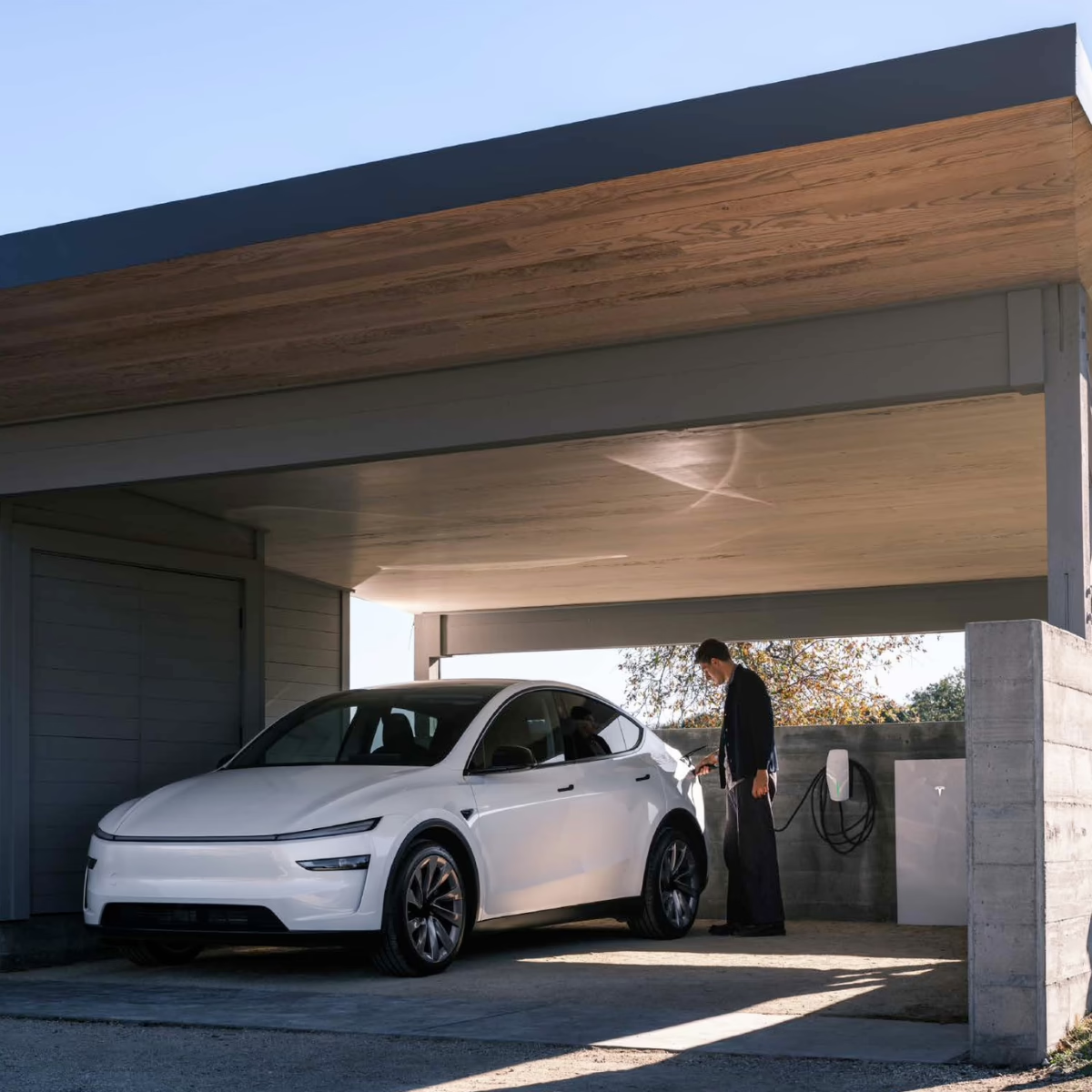
What Is Tesla Powershare?
The Takeaway: Powershare is Tesla’s bidirectional charging feature. Normally your car only takes power in. With Powershare, a compatible Tesla can also send power out to run your home during a grid outage. This is called Vehicle-to-Home (V2H).
How it works during an outage:
- The grid goes down. Your Tesla Gateway or Backup Switch detects the outage and automatically disconnects your home from the grid.
- Powerwall takes over. Your home switches to Powerwall with no interruption.
- Your car steps in. When Powerwall’s charge gets low, your plugged-in Tesla begins powering the home and recharging Powerwall.
- The car steps back. Once Powerwall is charged back up, the car stops discharging and Powerwall resumes backup.
- The grid returns. Your system confirms it’s safe and moves your home back to utility power without interruption.
There are no switches to flip or extension cords to run. The car just needs to be plugged into your Tesla Wall Connector.

Which Tesla Vehicles Are Eligible for Powershare?
Answer: All Cybertrucks and all new Model 3 and Model Y vehicles ordered on or after October 1, 2026 can use Powershare with Powerwall 3. Some older Model 3 and Model Y vehicles qualify too.
- Cybertruck: All vehicles are Powershare-capable.
- Model 3 and Model Y ordered on or after October 1, 2026 (U.S. and Puerto Rico): Powershare-capable.
- Model 3 and Model Y built before October 1, 2026: Some are capable, depending on the vehicle’s hardware.
- Model S and Model X: Not currently supported.
How to check an older Model 3 or Model Y: On your car’s touchscreen, go to Software → Additional Vehicle Information and look for “Powershare Support: Enabled.” If you see it, your car has the hardware it needs.
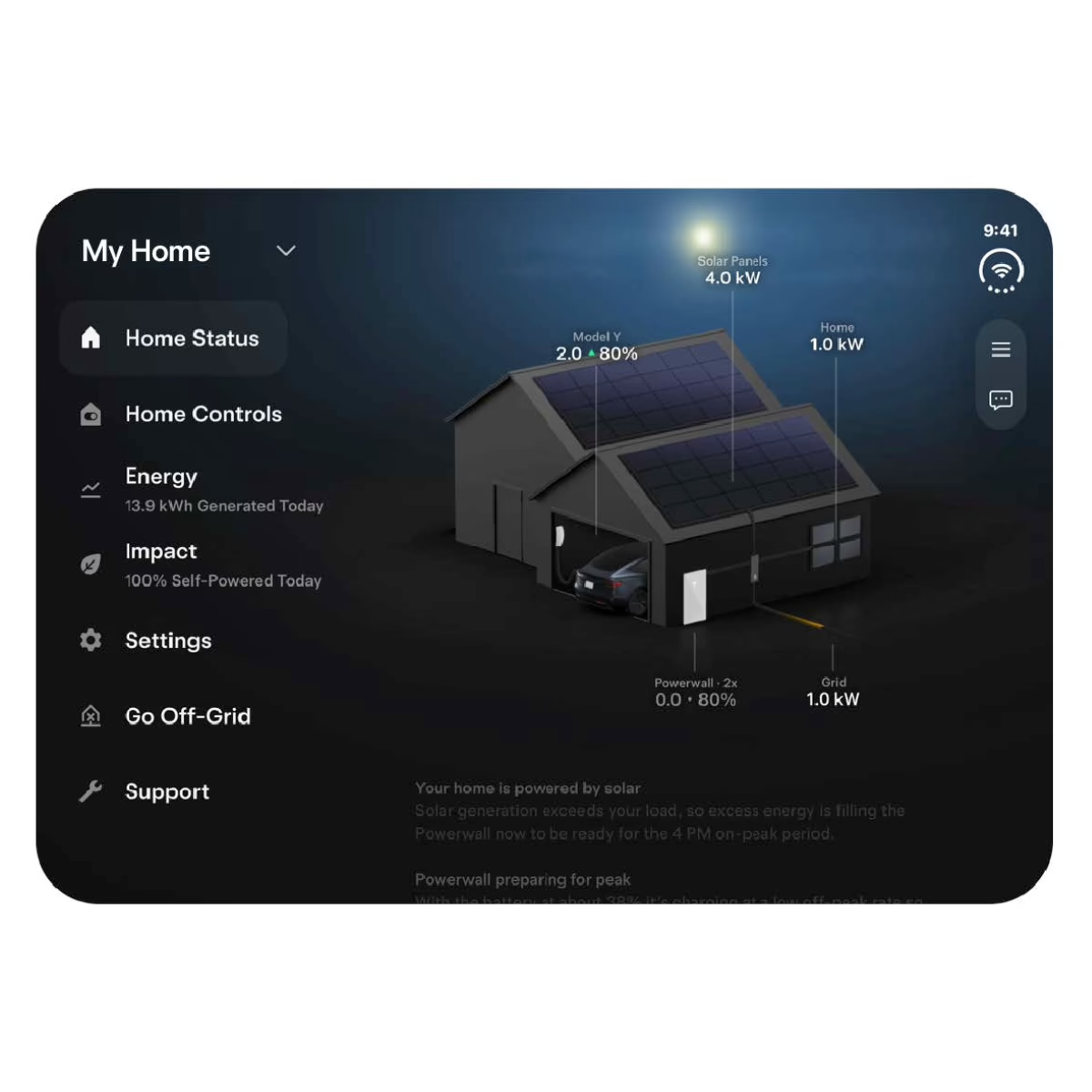
How Much Backup Does Your Tesla Add?
Answer: A single Powerwall 3 stores 13.5 kWh, enough to carry most homes through an evening and overnight depending on usage. Tesla vehicle batteries are far larger, so a plugged-in car can add days of backup:
- Cybertruck (approx. 123 kWh usable): 3+ additional days
- Model 3 / Model Y Premium and Performance (approx. 75–85 kWh): 2+ additional days
- Model 3 / Model Y Standard (approx. 70 kWh): up to 2 additional days
Actual backup duration depends on your home’s energy use, what’s running during the outage, and the car’s state of charge when the outage begins.
Battery Backup Alone vs. Battery + Powershare
| Powerwall 3 Alone | Powerwall 3 + Powershare EV | |
|---|---|---|
| Backup energy | 13.5 kWh per Powerwall | 13.5 kWh plus 70–123 kWh from the car |
| Long outage coverage | Hours to about a day without solar; longer with solar recharging | Several additional days |
| Availability | Always home, always ready | Only when the car is home and plugged in |
| Everyday value | Stores solar, can reduce peak-rate costs, provides backup | All of that, plus a car that doubles as a backup battery |
| Extra equipment | None | A Tesla Wall Connector on your backup circuit |
Our take: Powershare adds to a Powerwall; it doesn’t replace one. Tesla’s own design guidance says to size your Powerwall system as if the car won’t be home during an outage, because sometimes it won’t be. Powerwall is the foundation that works every day. Your car is the reserve that turns a one-day backup into a multi-day one. With solar, the system can also recharge during daylight hours and stretch things further. Not sure where to start? Read Should You Add Battery Backup With Solar in Washington?
Ways to Set Up Powershare at Home
There are a few ways to set up Powershare, depending on your home’s electrical layout and the equipment you already have. In every setup, your Wall Connector must be on the backed-up side of your system. If it isn’t, your car can’t feed the house during an outage, and if your charger is wired off your main panel today, it may need to be moved. Powerwall and Wall Connector also need a strong connection to the same Wi-Fi network.
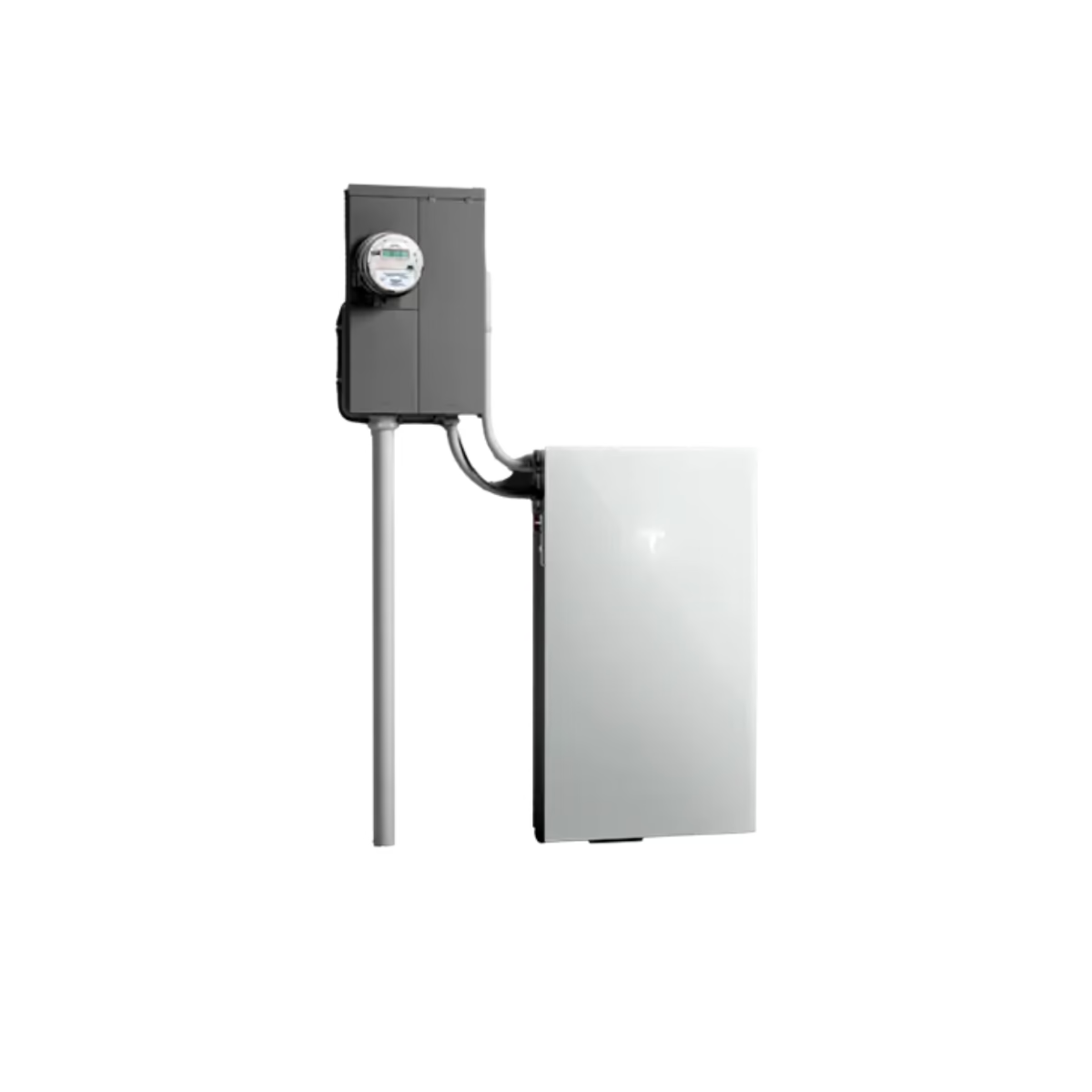
Whole-Home Backup: Powerwall 3 + Backup Switch
The Backup Switch installs at your meter, so your entire home is backed up. Your Wall Connector, Powerwall 3, and solar all tie in, and your car can support every circuit in the house during an outage.
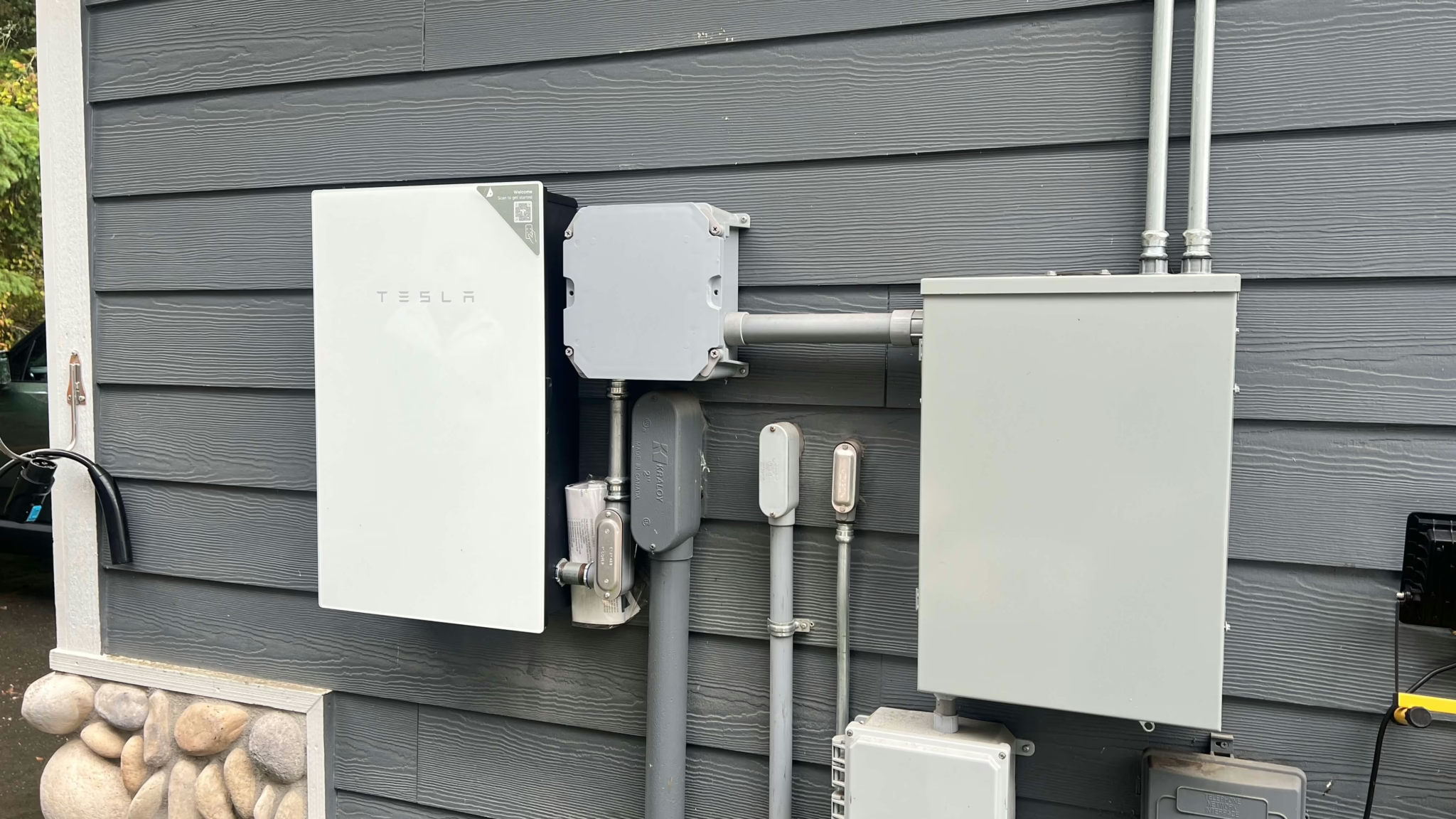
Partial-Home Backup: Powerwall 3 + Gateway 3
Your essential circuits, such as the fridge, furnace, lights, internet, and well pump, move to a dedicated backup panel, and Gateway 3 handles the switchover. This is a good fit when whole-home backup isn’t practical for your electrical service, or when you want backup power to go further.

Already Have Powerwall 3 and a Tesla Wall Connector?
You don’t need any new hardware. Powershare is enabled through software: your system needs current firmware, your Wall Connector must be registered to the same site as your Powerwall, and the feature is turned on during setup. Contact us and we’ll check your system.

Have Powerwall 2 or Powerwall+?
Tesla says Powershare support for these systems is coming soon. You can install a compatible Wall Connector now so you’re ready at launch. Tesla also now allows Powerwall 3 to be added to existing Powerwall 2 systems, a good option if you want more storage anyway.
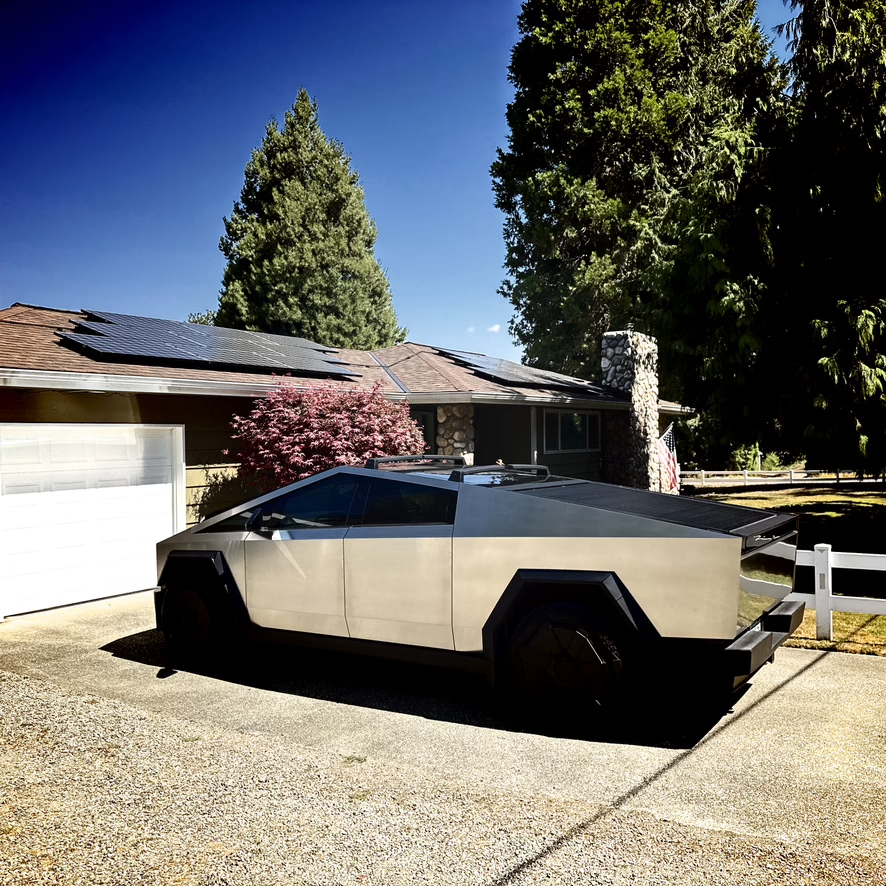
Cybertruck Without a Powerwall
Cybertruck owners have a separate option: Tesla’s Powershare Gateway paired with a Universal Wall Connector, which supports home backup and, in some markets, sending power back to the grid. Powershare Gateway is not compatible with Powerwall systems, so it’s one path or the other.
Frequently Asked Questions About Tesla Powershare
-
Do I need a Powerwall to use Powershare with a Model 3 or Model Y?

Yes. Powershare home backup for Model 3 and Model Y currently requires Powerwall 3 and a Tesla Universal Wall Connector or Gen 3 Wall Connector. Support for Powerwall 2 and Powerwall+ is coming soon.
-
Can my Model 3 or Model Y send power back to the grid?
No. Powershare for Model 3 and Model Y is for home backup only. Grid export is currently limited to Cybertruck with Powershare Gateway in select markets.
-
Do I need new equipment if I already have Powerwall 3 and a Tesla Wall Connector?
No additional hardware is required. Powershare is enabled through a software update and setup, as long as your Wall Connector is on your home’s backup circuit and on the same Wi-Fi network as your Powerwall.
-
What happens if my car isn't home during an outage?
Powerwall keeps powering your home as normal. That’s why we design every system to provide backup on its own. When you plug the car back in, it can pick up where Powerwall leaves off.
-
How do I know if my Tesla is Powershare-capable?
On your car’s touchscreen, go to Software → Additional Vehicle Information and look for “Powershare Support: Enabled.” All Cybertrucks and all Model 3 and Model Y vehicles ordered in the U.S. on or after October 1, 2026 are capable.

Ready for Backup Power That Lasts for Days?
Whether you’re adding Powerwall 3 for the first time, upgrading an existing system, or just picked up a new Tesla, Northwest Electric & Solar can design and install a system that keeps your home running through the next long outage. As Washington’s Tesla Certified Installer, we’ll make sure your Powerwall, Wall Connector, and solar are set up to work together from day one.